How to check the RTP of slots with the NetEnt provider



NetEnt is one of the best-known slot studios in online casino gaming, with titles such as Starburst and Dead or Alive still appearing in many casino lobbies. Today, NetEnt sits under Evolution’s wider group of casino brands, alongside names such as Red Tiger, Big Time Gaming and Nolimit City.
RTP matters because it tells you the long-term theoretical return of a slot. It does not tell you what will happen in one session, and it does not make a game “safe”, but it does show whether you are playing a stronger or weaker version of the same type of game.
NetEnt is a provider where players should be especially careful. Official game pages show specific RTP figures for individual titles — for example, Starburst is listed at 96.08% on NetEnt’s site, while Dead or Alive is listed at 96.82%. At the same time, industry sources and live casino examples show that some NetEnt games can appear in different RTP versions depending on the casino or market. That means the number you see in one casino should not be blindly trusted in another.
For a fuller explanation of why this matters, read the general guide to what RTP means in slots. And if you want to understand why some casinos run lower-return versions of familiar games, the guide to reduced RTP in slots is worth reading before you play.
With NetEnt slots, spend the extra few seconds checking the RTP every time you open a game. The same title can look identical on the reels, use the same theme, and still have a different return percentage. It is better to check once than unknowingly accept a worse version before the first spin.Quick Answer
To check the RTP of a NetEnt slot, open the game, press the Start button if needed, then tap the “?” or “How to Play” icon. Look for a line called “Return to Player”, “RTP”, “Theoretical RTP”, or similar. That percentage is the version you should judge — not the number from a random review page or another casino.
On some NetEnt game pages, the RTP is also shown before launch. For example, NetEnt’s own Starburst page lists the game’s RTP near the basic game details. But in a real-money casino, always confirm inside the game window, because casino versions can differ.
How to Check the RTP of NetEnt Slots Step by Step
1. Open the NetEnt slot
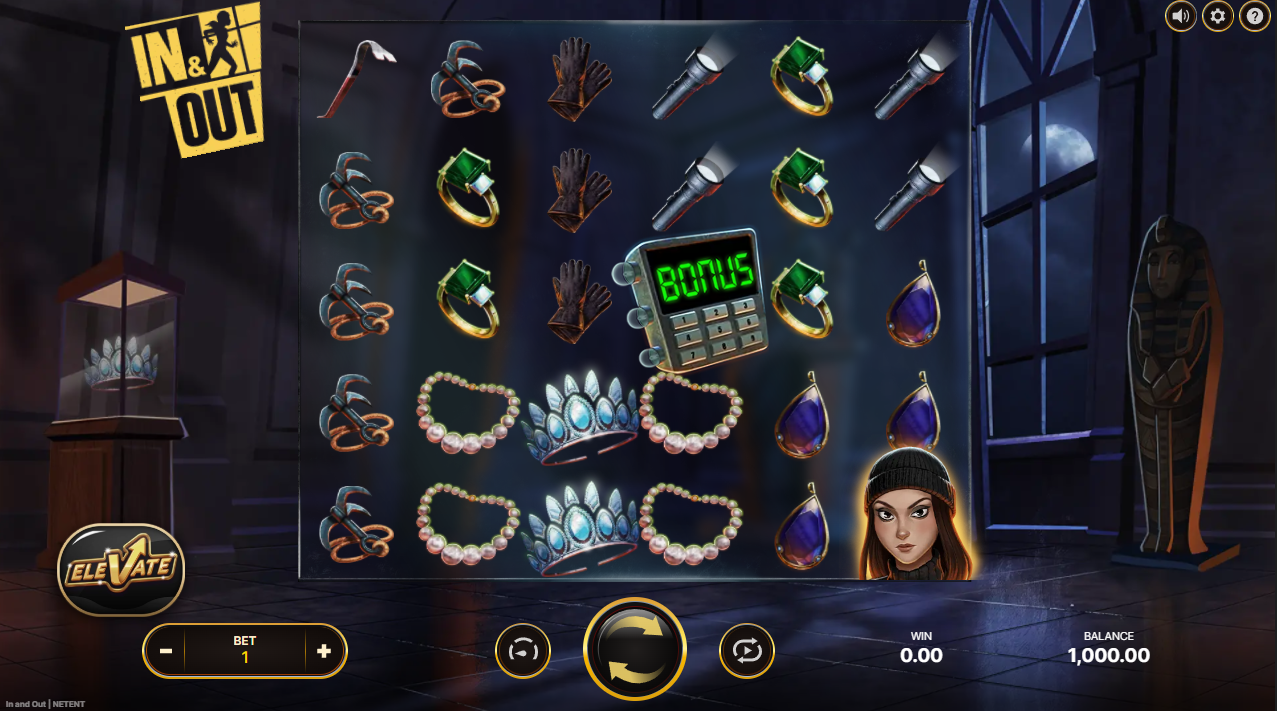
Find the NetEnt game in the casino lobby and open it. On desktop, it will usually load in the main browser window or a pop-up game frame. On mobile, it usually opens full-screen or near full-screen after you tap the game tile.
Do not rely only on the casino lobby card. Some casinos show RTP beside the game name, but many do not. Even when they do, the in-game help screen is the cleaner place to confirm the active version.
2. Press Start if the game does not show the menu yet
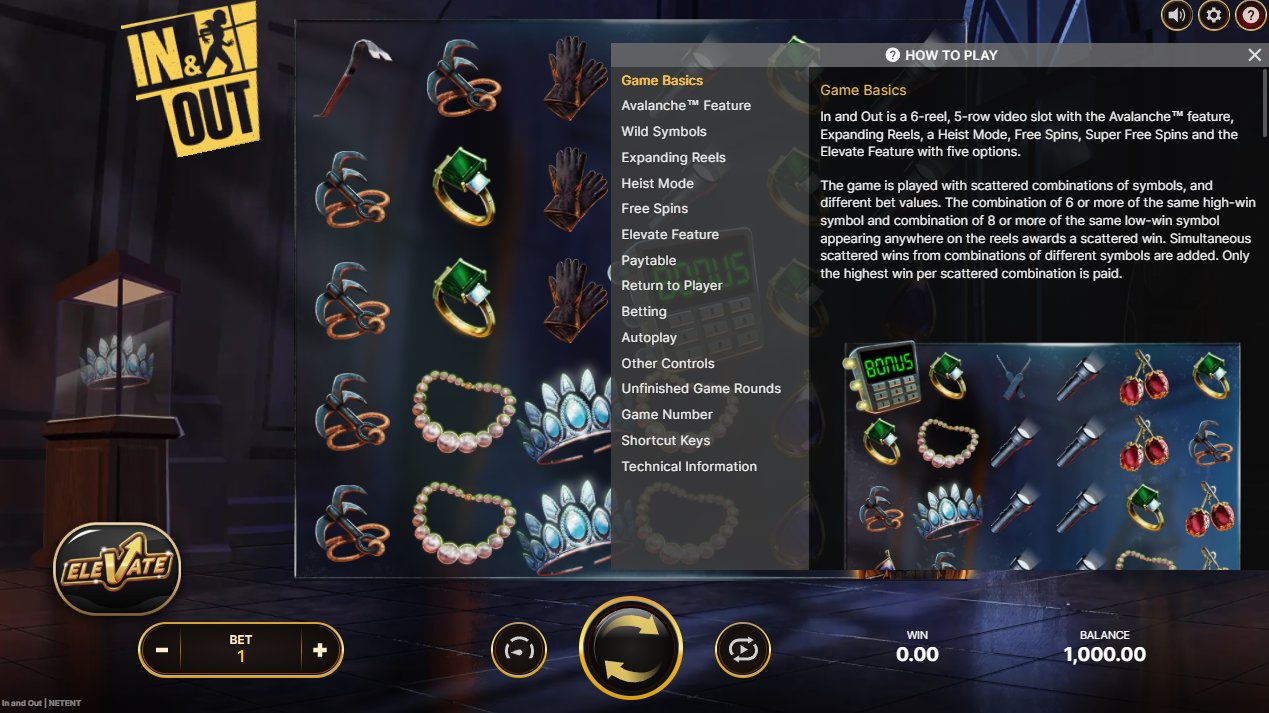
Some NetEnt games do not show the full help menu until the game has properly loaded. If you see a Start button, tap or click it first. You do not need to place a real-money spin just to check RTP.
3. Tap the “?” icon or “How to Play”
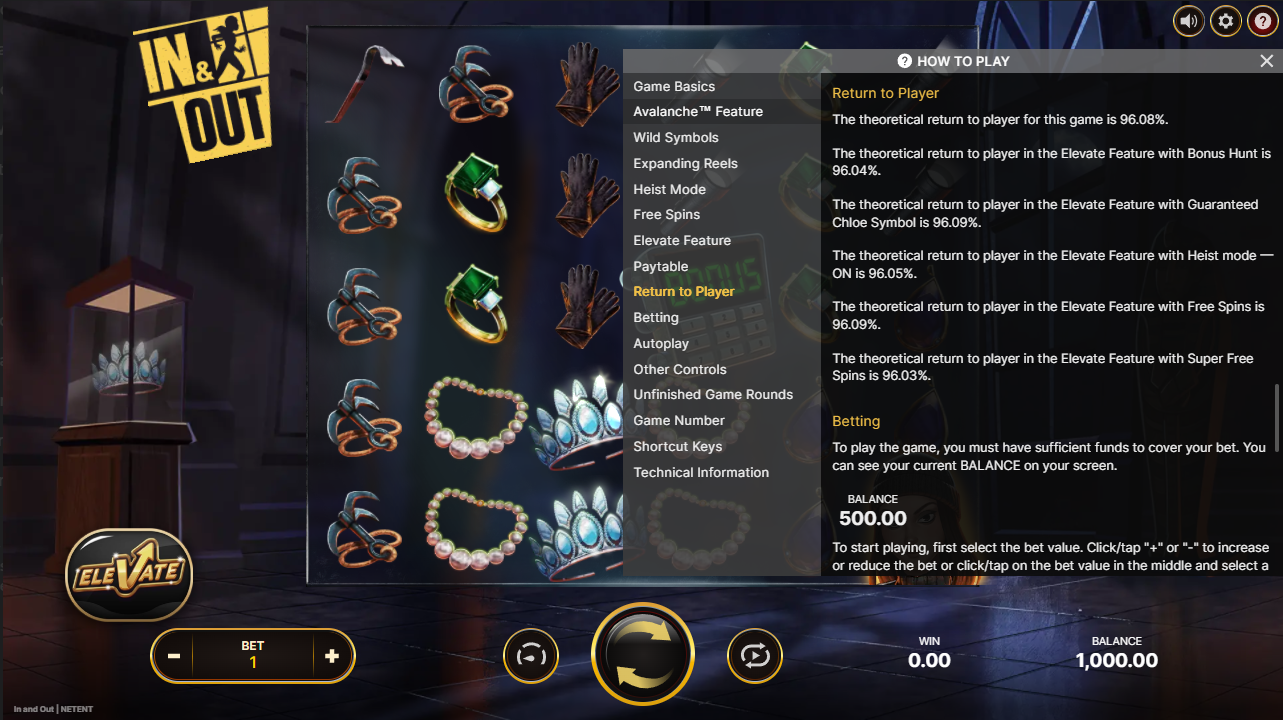
Look around the game screen for the question mark icon. In many NetEnt slots, this opens the help area, rules, paytable, or “How to Play” section.
On desktop, the “?” icon is often near the bottom or side of the game interface. On mobile, it may be tucked into a menu icon, especially if the screen is narrow. If you do not see it right away, rotate your phone or open the game menu.
4. Go through the help pages until you find “Return to Player”
Inside the help section, look for a heading or line that says:
“Return to Player”
“RTP”
“Theoretical RTP”
“Game RTP”
“Average return to player”
In many NetEnt games, the RTP appears as a short line in the rules/help information rather than as a large headline. Read slowly and do not stop at the paytable only. The RTP may appear after the symbol payouts, feature explanation, or game rules.
5. Write down the number before playing
Once you see the RTP, note the exact percentage. A difference between 96% and 94% may not look dramatic on one spin, but over time it changes the casino’s mathematical edge.
If the game is a jackpot slot, bonus-buy version, branded variant, or newer remake, check the RTP for that specific version. Do not assume it is the same as the original NetEnt game.
What to Look for in the NetEnt Info Screen
The most important line is the RTP percentage, but it is not the only useful detail. While you are already in the help screen, check the rest of the game information too.
The paytable shows symbol values and feature rules. This tells you what can actually pay and how bonus features are triggered. Volatility, if shown, helps explain the rhythm of the game: lower volatility usually means smaller, more frequent wins, while higher volatility means more uneven results. Max win is also worth checking, especially on modern NetEnt releases with larger advertised potential.
For RTP, focus on the exact number. Do not accept vague phrases like “high RTP” or “competitive payouts” as a substitute. You want a real percentage.
Can NetEnt Slots Have Different RTP Versions?
Yes, available evidence strongly indicates that at least some NetEnt slots can appear in different RTP versions.
There are three reasons to be careful. First, official NetEnt pages list specific RTP values for individual games, which confirms that RTP is part of the game’s published specification. Second, industry reporting has referred to Evolution removing older NetEnt and Red Tiger titles across “markets, RTP variants, and platforms”, which supports the idea that different RTP configurations exist within the wider Evolution RNG setup. Third, casino-facing and player-facing sources show real examples where NetEnt games are offered or described with different RTP values, including Starburst at lower rates in some casino contexts.
This does not mean a casino is secretly changing the RTP for you personally. A fairer way to understand it is this: providers can have certified versions of a game, and casinos may run one version or another where local rules and commercial agreements allow it.
For Canadian players, the practical lesson is simple. Check the in-game RTP, not just the brand name. A NetEnt logo does not automatically mean you are getting the best-known RTP version.
What if the RTP Is Lower Than Expected?
If you open a NetEnt slot and the RTP is clearly lower than the version commonly listed on the provider page or in reputable game guides, take that seriously.
A lower RTP does not prove the game is rigged. It usually means you are looking at a lower-return version of the same slot. But from a player’s point of view, the result is still worse: you are giving up part of the theoretical return before you even press spin.
If the casino clearly displays the lower RTP, at least you can make an informed choice. If the casino hides RTP, buries it deep in the rules, or makes it hard to confirm, that is a transparency problem. In that case, the safer move is to choose a regulated casino that shows basic game information clearly.
What to Do if the RTP Is Not Shown
If you cannot find the RTP in a NetEnt game, do not guess.
First, check the full help section again. Some games split information across several tabs, such as “How to Play”, “Rules”, “Paytable”, “Game Information”, and “Legal”. The RTP may be near the end.
Second, check whether the casino has a game information page outside the slot. Some casinos list RTP in the lobby, game details panel, or responsible gaming/game fairness section.
Third, contact support and ask for the active RTP of that exact NetEnt title. Use the full game name and, if possible, mention whether it is a jackpot, bonus-buy, Megaways, or special version.
If support cannot answer, or if the game does not show the RTP anywhere, that is a good reason not to play that title in that casino. Players should not have to chase basic mathematical information.
Example: Checking RTP on Starburst by NetEnt
Starburst is a useful example because it is one of NetEnt’s most famous slots. NetEnt’s official Starburst page lists the game with a 96.08% RTP, 5x3 layout, 10 paylines, and an 800x bet max payout. Evolution’s own Starburst page also refers to the game’s RTP in its FAQ, using 96.09%.
In a casino, you should still check inside the game. Open Starburst, press Start if needed, then open the “?” or “How to Play” menu. Look for “Return to Player” and compare the displayed percentage with the expected version.
If the casino version shows a noticeably lower RTP, you now know that you are not playing the same return profile as the standard reference version. The reels may look the same, but the maths behind the game is less favourable.
Desktop vs Mobile: Is the RTP in the Same Place?
The information is usually the same, but the path can feel different.
On desktop, the help button is easier to spot because there is more screen space. Look around the game frame for the “?” icon, menu button, or information button.
On mobile, NetEnt games often compress the interface. You may need to tap a menu icon first, then choose “How to Play” or “Game Rules”. If the text is hard to read, turn the phone sideways or use the casino’s full-screen mode.
The key point is the same on both: do not spin first and check later. Open the help screen before playing.
Practical Checklist Before Playing a NetEnt Slot
- Open the exact NetEnt game you plan to play.
- Press Start only if needed to access the full game menu.
- Tap the “?” icon or “How to Play”.
- Find the “Return to Player” or RTP line.
- Compare the number with the provider page or trusted game information.
- Be extra careful with jackpot, bonus-buy, remake, and special-edition versions.
- If RTP is missing or unclear, ask support.
- If the casino cannot provide the RTP, skip the game.
Verdict
Checking RTP in NetEnt slots is simple once you know where to look: open the game, go to the “?” or “How to Play” section, and find the “Return to Player” line. The important part is doing it before you play.
NetEnt has many well-known games, but the brand name alone is not enough. The actual RTP shown inside the game is the number that matters. If it is lower than expected, hidden, or impossible to confirm, treat that as a warning sign and choose a clearer option.
Amanda Shimmer is the Chief Editor at CasinosInCanada and an experienced casino expert who ensures all guides, reviews, and industry investigations remain accurate, transparent, and helpful for players.




FAQ
Open the game, tap the “?” icon or “How to Play”, then look for “Return to Player”, “RTP”, or “Theoretical RTP”. In some games, you may need to scroll through the rules or paytable pages before the RTP appears.
Not always. Official pages may show the standard or reference RTP, but the version in a real-money casino can vary by market, casino, platform, or game version. Always check inside the game you are actually opening.
A casino generally cannot just change RTP freely for one player in the middle of play. What can happen is that different certified RTP versions of a game may be available, and the casino may run a lower-return version where allowed. That is why the in-game RTP matters.
Check the full help menu, the paytable, the casino’s game info panel, and the lobby details. If it is still missing, ask customer support for the exact RTP of that NetEnt title. If they cannot provide it clearly, it is better not to play that game there.
Yes. With NetEnt, it is worth checking every time you play, even if you know the game well. Casino libraries change, game versions change, and providers update titles. A quick check protects you from assuming you are getting a better version than the one actually loaded.
No. RTP is a long-term mathematical average, not a prediction for your session. A 96% RTP slot can still lose quickly, and a lower RTP slot can still hit a win. RTP simply tells you the theoretical return built into the game over a very large number of spins.